
Introduction about SEO Audit Tools
Technical SEO audits are essential for maintaining a healthy website that search engines can crawl, index, and rank efficiently. While great content and backlinks are important, technical issues can prevent even the best pages from appearing in search results.
A technical SEO audit examines the structural and performance elements of a website. This includes identifying problems such as crawl errors, indexing issues, broken links, slow page speed, duplicate content, and Core Web Vitals performance problems.
Modern technical SEO audit tools help SEO professionals quickly diagnose these problems. Many tools now include AI-powered analysis, automated monitoring, and performance diagnostics that make it easier to maintain large websites.
In this guide, we explore the best SEO audit tools available in 2026 and how they help improve crawlability, website performance, and search visibility.
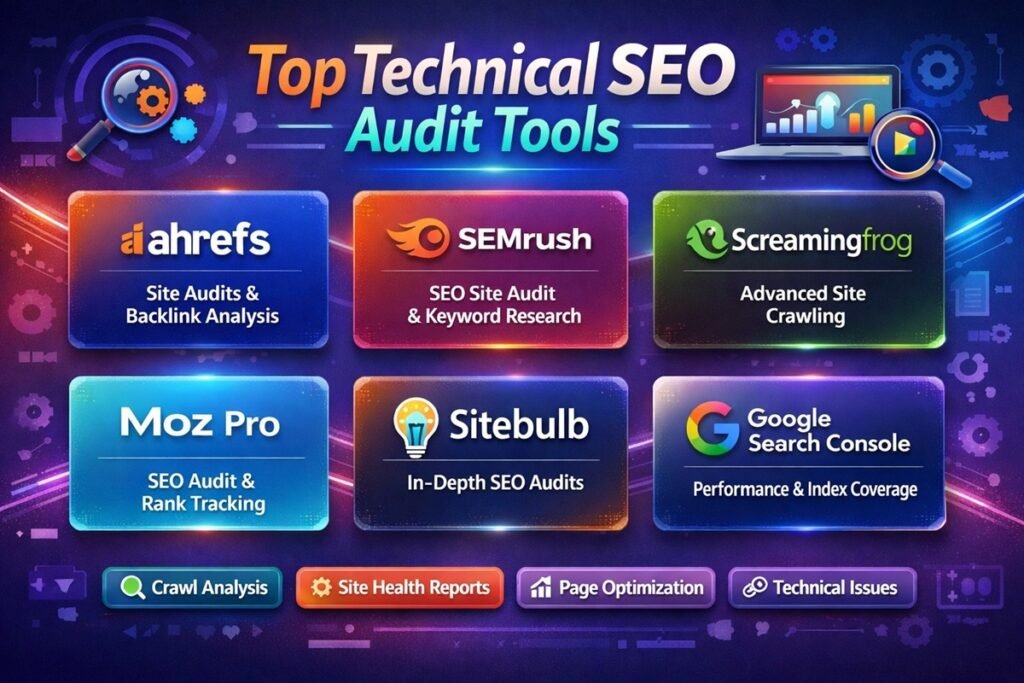
Quick Comparison of Technical SEO Audit Tools
| Tool Name | Best For | Key Technical Features | Pricing |
|---|---|---|---|
| Screaming Frog SEO Spider | Deep website crawling | Site crawling, broken link detection, metadata analysis | Freemium |
| Ahrefs Site Audit | Comprehensive SEO audits | Health score, crawl reports, internal linking analysis | Paid |
| SEMrush Site Audit | All-in-one SEO platform | Technical issue reports, Core Web Vitals monitoring | Paid |
| Google Search Console | Direct Google insights | Indexing reports, crawl errors, performance data | Free |
| Sitebulb | Visual technical audits | Website crawling, visualization reports | Paid |
| DeepCrawl (Lumar) | Enterprise websites | Large-scale crawling and technical monitoring | Paid |
| SE Ranking Website Audit | Affordable audits | Site scanning, issue detection, page analysis | Paid |
| OnCrawl | Data-driven SEO analysis | Log file analysis, technical SEO monitoring | Paid |
| JetOctopus | Large site crawls | Fast cloud crawler and log analysis | Paid |
| GTmetrix | Page speed optimization | Performance testing, Core Web Vitals metrics | Freemium |
| PageSpeed Insights | Core Web Vitals analysis | Performance recommendations from Google | Free |
Top Technical SEO Audit Tools
1. Screaming Frog SEO Spider
Overview: Screaming Frog is one of the most widely used technical SEO tools. It crawls websites like a search engine and identifies technical issues affecting SEO.
Key Features:
- Full website crawling
- Broken link detection
- Meta tag and header analysis
- XML sitemap generation
Pros:
- Very detailed crawl reports
- Trusted by SEO professionals
- Flexible configuration options
Cons:
- Desktop software
- Interface can feel complex
Best Use Case: Technical site audits and identifying crawl issues.
Pricing: Free version available. Paid license required for larger crawls.
Who Should Use It: SEO professionals, developers, agencies.
2. Ahrefs Site Audit
Overview: Ahrefs Site Audit scans websites and provides a technical health score along with actionable insights.
Key Features:
- Technical SEO health score
- Internal linking analysis
- Duplicate content detection
- Broken link reports
Pros:
- Clear technical issue reports
- Strong data visualization
- Part of complete SEO toolkit
Cons:
- Requires subscription
- Limited crawl limits on lower plans
Best Use Case: Continuous site monitoring.
Pricing: Paid subscription.
Who Should Use It: Agencies and professional SEO teams.
3. SEMrush Site Audit
Overview: SEMrush offers a powerful technical SEO auditing feature within its broader SEO platform.
Key Features:
- Technical issue detection
- Core Web Vitals monitoring
- Internal linking analysis
- Crawlability reports
Pros:
- Easy-to-read audit reports
- Integration with other SEMrush tools
- Automated audits
Cons:
- Premium pricing
- Large features set may overwhelm beginners
Best Use Case: Regular website health monitoring.
Who Should Use It: SEO teams and marketing agencies.
4. Google Search Console
Overview: Google Search Console is a free tool that provides direct insights into how Google crawls and indexes your site.
Key Features:
- Indexing reports
- Core Web Vitals monitoring
- Search performance analytics
- Mobile usability reports
Pros:
- Free and reliable
- Direct data from Google
- Essential for technical SEO
Cons:
- Limited crawling features
- No full site crawler
Best Use Case: Monitoring indexing and performance.
Free vs Paid Technical SEO Audit Tools
Free Tools
Free tools are helpful for small websites and basic technical diagnostics. They typically offer limited crawl depth and fewer advanced features.
Examples include Google Search Console and PageSpeed Insights.
Paid Tools
Paid tools offer advanced crawling capabilities, automation, and large-scale analysis. They are ideal for agencies and large websites.
Examples include Ahrefs, SEMrush, Sitebulb, and DeepCrawl.
How to Choose the Right Technical SEO Audit Tool
Crawl Depth and Limits
Large websites require tools capable of crawling thousands or even millions of URLs.
Core Web Vitals Monitoring
Look for tools that track page speed and performance metrics.
JavaScript Rendering Support
Modern websites use JavaScript frameworks that require advanced crawling support.
Integration with SEO Workflow
The best tools integrate with Google Search Console, analytics tools, and rank tracking platforms.
Budget and Team Size
Freelancers may prefer affordable tools, while agencies and enterprises need scalable platforms.
Common Technical SEO Issues These Tools Detect
- Broken links
- Redirect chains
- Slow page load speed
- Duplicate content
- Orphan pages
- Indexation errors
- Missing meta tags
- Crawl budget issues
Tips for Running an Effective Technical SEO Audit
- Crawl your website regularly
- Prioritize high-impact technical errors
- Monitor Core Web Vitals
- Fix internal linking issues
- Review indexing reports in Google Search Console
Conclusion
Technical SEO audits are essential for maintaining a website that search engines can crawl and rank effectively. By identifying crawl errors, performance issues, and indexing problems, SEO professionals can improve both search visibility and user experience.
The right technical SEO audit tools help automate this process and provide clear insights into your website’s health. Whether you manage a small blog or a large enterprise website, choosing the right tool can significantly improve your SEO performance.
FAQs
What are technical SEO audit tools?
Technical SEO audit tools analyze a website’s structure and performance to identify issues affecting crawlability, indexing, and search rankings.
Which technical SEO tool is best?
Popular tools include Screaming Frog, SEMrush Site Audit, Ahrefs Site Audit, and Google Search Console.
Are there free technical SEO audit tools?
Yes. Google Search Console and PageSpeed Insights are free tools for basic technical analysis.
Why are technical SEO audits important?
They help identify issues that prevent search engines from properly crawling and indexing a website.
How often should you run a technical SEO audit?
Most websites should perform a technical SEO audit at least once every few months or after major site updates.