
Gartner predicts that by the end of 2026, 40% of enterprise applications will have task-specific AI agents baked right into them. Not chatbots. Not simple if-then automations. Actual agents that can reason, decide, and act on their own. That number alone tells you something big is happening with AI agents and business automation — and it’s happening faster than most companies expected.
A couple of years ago, automation meant setting up a trigger in Zapier or building a workflow in Make. You’d connect two apps, define some rules, and let the system handle the boring stuff. That still works. But AI agents are a completely different animal.
They don’t just follow instructions. They figure things out. They adapt. And in 2026, they’re starting to take over tasks that used to need a human brain behind them.
If you run a business or manage operations at any level, this shift is going to affect how your team works. So let’s break down what’s actually going on — without the hype.
What Are AI Agents?
An AI agent is a software system that can independently perform tasks by observing its environment, making decisions, and taking action — all without someone telling it what to do at every step.
Think of it this way. A regular automation tool is like a conveyor belt. It moves things from point A to point B, exactly the same way, every single time. An AI agent is more like a new employee. You give it a goal, some context, and access to the tools it needs. Then it figures out how to get the job done.
Most AI agents today are powered by large language models (LLMs) like the ones behind ChatGPT, Claude, and Gemini. They use natural language to understand requests, reason through problems, and interact with other software through APIs and integrations.
Some agents work alone. Others work in groups — what the industry calls multi-agent systems — where different agents handle different parts of a workflow and coordinate with each other. One agent researches, another writes, a third one reviews. That kind of setup.
How AI Agents Are Different from Traditional Automation
This is where a lot of people get confused. Traditional automation and AI agents aren’t the same thing, even though they both save you time. The difference matters because it affects what you can actually automate.
Traditional automation is rule-based. You define triggers, conditions, and actions. “When a new row is added to this spreadsheet, send an email to the sales team.” It follows a fixed path every time. There’s no thinking involved. If something unexpected happens — a missing field, a weird format, an edge case — the workflow breaks or skips it.
AI agents handle ambiguity. They can look at a messy customer email, understand the intent behind it, pull data from your CRM, draft a personalized response, and flag the conversation for human review if needed. No one programmed that specific sequence. The agent decided what to do based on context.
Here’s a quick comparison:
- Traditional automation: “If email contains the word ‘refund’, send template #4.”
- AI agent: “Read this email, understand what the customer actually wants, check their order history, and draft an appropriate response based on our refund policy.”
Does that mean traditional automation is dead? Not at all. It’s still the backbone of most business operations. But AI agents add a layer of intelligence on top of it. And that combination is where things get really interesting.
Key Ways AI Agents Are Changing Business Automation in 2026
Let’s get specific. Here are the areas where AI agents are making the biggest impact right now.
1. Customer Support That Actually Resolves Issues
Old chatbots were frustrating. You’d type a question, get a canned response, and end up clicking “talk to a human” within 30 seconds. AI agents in 2026 are nothing like that.
Modern support agents — like the ones built on Salesforce Agentforce or platforms like Kommunicate — can understand complex questions, pull up order details, apply company policies, and resolve tickets without human involvement. Zendesk’s CX Trends 2026 report found that 81% of consumers now see AI as a normal part of customer service. People expect it.
And when the agent can’t handle something? It doesn’t just dump the customer into a queue. It hands the conversation to a human teammate with full context attached. No “can you repeat your issue?” nonsense.
2. Lead Qualification That Doesn’t Sleep
Sales teams waste a ridiculous amount of time chasing leads that were never going to convert. AI agents fix that by scoring and qualifying leads automatically — around the clock.
Platforms like Clay connect to over 100 data sources to enrich lead profiles and assess fit. An AI agent can look at a new signup, pull in company size, industry, tech stack, and recent funding data, then decide whether this lead is worth a sales call or should go into a nurture sequence instead.
From what I’ve seen, businesses that set this up properly cut their sales team’s wasted time by at least 30–40%. That’s not a small number.
3. Content Creation at Scale
Content marketing teams are under constant pressure to publish more. Blog posts, social updates, email sequences, product descriptions — the list never ends. AI agents are stepping in to handle the repetitive parts of content production.
Here’s how it typically works. One agent researches trending topics and keywords. Another creates a detailed brief. A third writes the first draft. A fourth checks it against your brand guidelines and SEO requirements. Humans then step in for final editing and approval.
It’s not about replacing writers. It’s about removing the 3–4 hours of research and outlining that happen before anyone starts typing. Tools like n8n and Gumloop let you build these multi-step content workflows with AI agents handling each stage.
4. Data Analysis Without the Data Team
Not every company can afford a full-time data analyst. But every company has data that could be driving better decisions. AI agents are closing that gap.
An AI agent can connect to your analytics platform, pull weekly performance data, identify trends and anomalies, and generate a plain-English summary for your team. No SQL. No dashboard building. Just answers.
Microsoft Copilot does this across the entire Microsoft 365 ecosystem — Excel, Teams, Outlook, Word. You ask a question in natural language, and it pulls insights from across your workspace. IDC expects AI copilots like this to be embedded in nearly 80% of enterprise workplace apps by the end of 2026.
5. Workflow Orchestration Across Multiple Tools
Most businesses run on 10–20 different software tools. Getting those tools to talk to each other has always been a headache. Traditional integrations handle simple connections well, but anything complex requires custom development.
AI agents change this. Instead of building rigid workflows for every possible scenario, you deploy an agent that understands the goal and figures out which tools to use and in what order. If your CRM, email platform, project management tool, and billing system all need to sync after a new deal closes, an AI agent can orchestrate that entire sequence — and handle exceptions along the way.
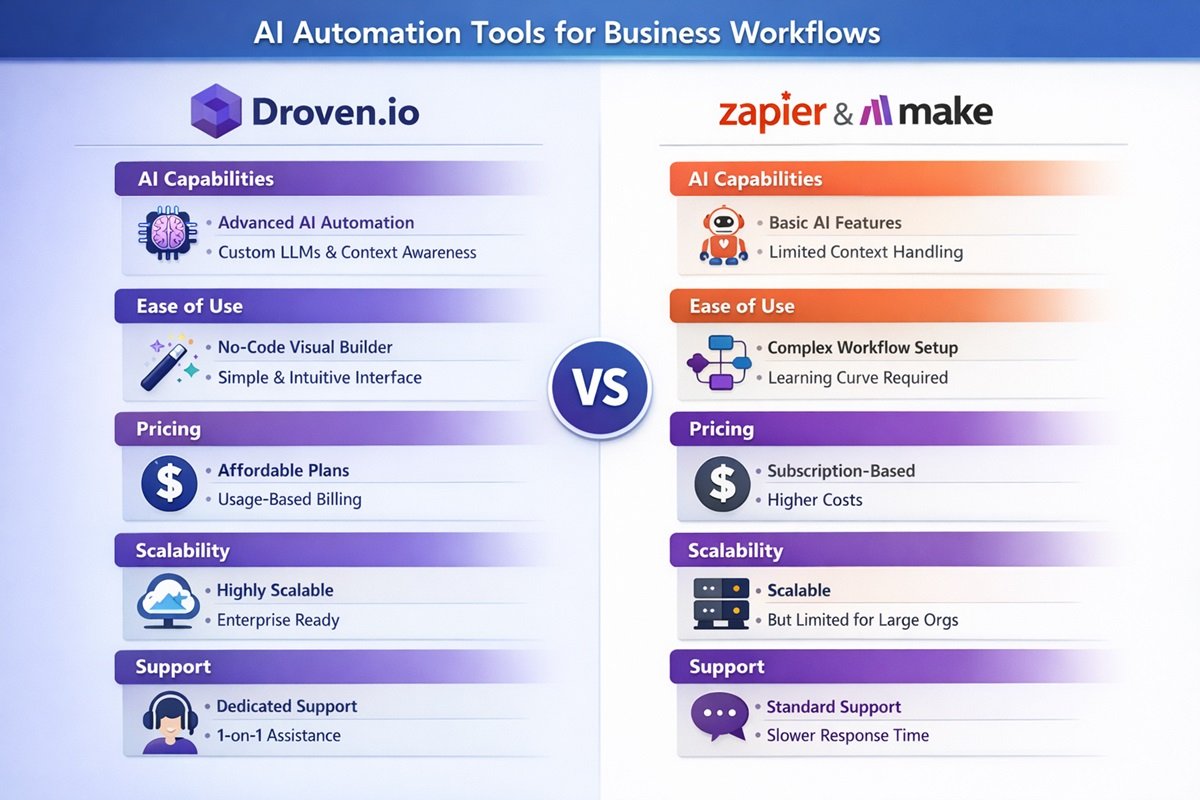
Zapier has added AI features on top of its existing 7,000+ integrations. Make and n8n offer similar capabilities. The trend is clear: workflow automation platforms are becoming AI agent platforms.
6. Email Automation That Feels Personal
Email marketing has relied on segmentation and templates for years. You’d bucket people into groups and send pre-written sequences. It worked, but it always felt a little generic.
AI agents can now personalize emails at the individual level. They analyze a contact’s behavior, past interactions, purchase history, and even the tone of their previous messages — then craft a response that feels like it was written just for them.
If you ask me, this is one of the most underrated applications of AI agents right now. The ROI on personalized email outreach is significantly higher than template-based campaigns, and most businesses haven’t caught on yet.
AI Agents and Workflow Automation: Working Together
Here’s the thing a lot of people miss. AI agents don’t replace your existing automation setup. They sit on top of it.
Think of your current automations — your Zapier workflows, your Make scenarios, your Power Automate flows — as the plumbing of your business. Water runs through the pipes in a predictable way. AI agents are like adding a smart water management system that decides where to send the water based on real-time conditions.
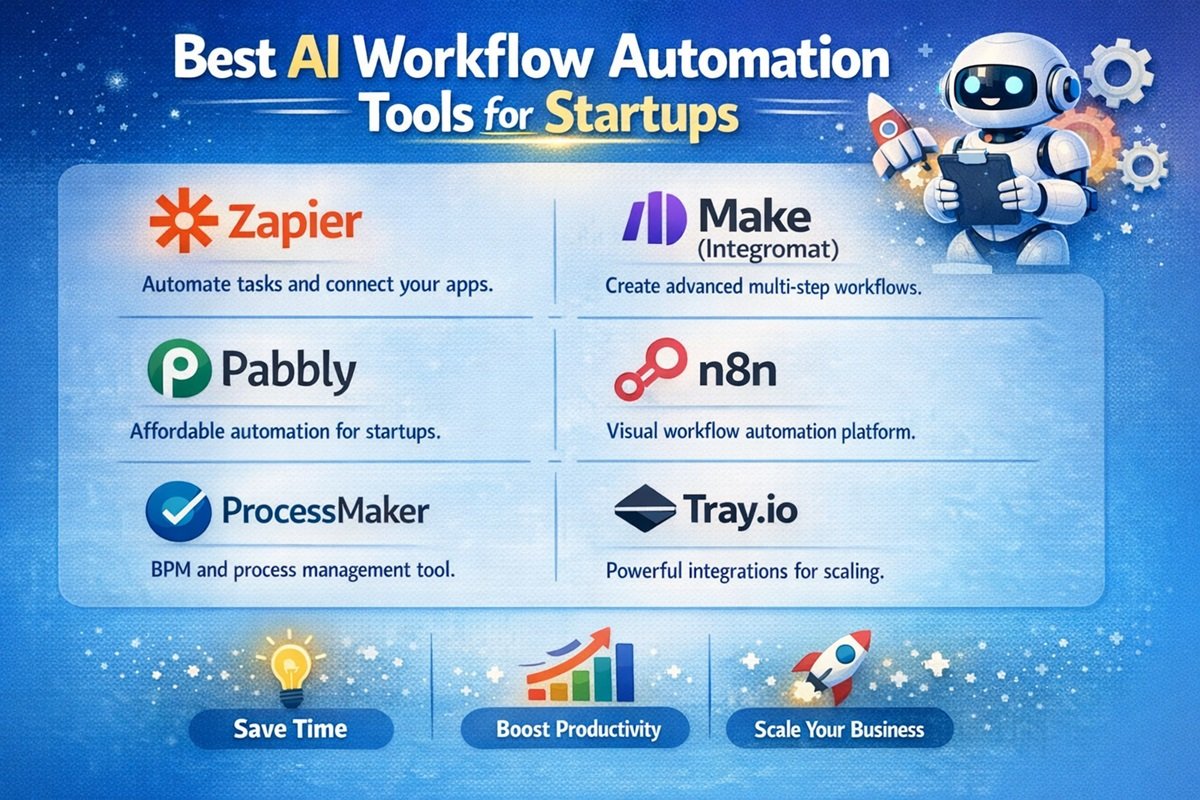
Before jumping into AI agents, it helps to have your automation foundation in place. If you haven’t already, check out these top workflow automation tools that most businesses rely on as their starting point. Get your basic workflows running first. Then layer AI agents on top for the tasks that need decision-making, personalization, or handling of edge cases.
This layered approach is what industry analysts call hyperautomation — combining traditional automation, AI, machine learning, and process intelligence into one connected system. It’s not about picking one or the other. It’s about using both.
How Businesses Are Actually Using AI Agents Right Now
Theory is great. But what does this look like in practice? Here are three real-world scenarios that show how AI automation for business is playing out in 2026.
Scenario 1: E-Commerce Store Automating Customer Returns
A mid-sized online retailer was drowning in return requests. Their support team spent 60% of their time handling returns — checking eligibility, generating labels, processing refunds.
They deployed an AI agent that reads incoming return requests, checks the order against their return policy, verifies the reason, generates a shipping label, initiates the refund, and sends the customer a confirmation email. All without a human touching it.
The only time a human gets involved is when the agent detects something unusual — like a customer who has returned 8 items in the past month. Then it flags the case for review.
Scenario 2: Marketing Agency Running Multi-Client Campaigns
A small digital marketing agency managing 15+ clients used to spend hours every Monday pulling performance reports from different platforms. Now they have an AI agent that pulls data from Google Analytics, Meta Ads, and email platforms every morning, generates a summary with key insights, and drops it into each client’s Slack channel.
The same agent monitors campaigns throughout the week. If a cost-per-click spikes or an ad set underperforms, it sends an alert with a recommended action. The team still makes the final call, but the agent does all the monitoring and analysis work.
Scenario 3: SaaS Company Qualifying and Routing Leads
A B2B SaaS company integrated an AI agent into their signup flow. When someone signs up for a free trial, the agent enriches their profile using third-party data — company size, industry, funding stage, tech stack.
Based on that data, the agent decides the next step. Enterprise-size leads get routed directly to the sales team with a full profile. Small businesses get dropped into an automated onboarding sequence. Spam signups get filtered out entirely.
Their sales team went from spending half their day on research to spending nearly all of it on actual conversations. Honestly, most businesses would see a similar improvement if they set something like this up.
Challenges and Limitations of AI Agents
It’s not all smooth sailing. AI agents have real limitations, and ignoring them will cost you time and money.
Accuracy Isn’t Guaranteed
AI agents can make mistakes. They sometimes misinterpret instructions, pull wrong data, or generate responses that sound confident but are factually off. You need human oversight, especially in the early stages of deployment.
Security and Data Privacy
When you give an AI agent access to your CRM, email, and financial tools, you’re giving it access to sensitive data. Not every platform handles this responsibly. Look for tools with strong encryption, clear data policies, and compliance certifications.
Setup Complexity
Despite the “no-code” promises, building effective AI agent workflows still takes thought and planning. You need to define goals clearly, map out decision trees, test edge cases, and iterate. It’s not plug-and-play. Not yet.
Cost Creep
Many AI agent platforms charge per conversation, per task, or per API call. At low volume, it’s cheap. But once you scale, costs can add up quickly. Salesforce’s Agentforce, for example, charges $2 per conversation — which makes sense at some scale but gets expensive at others. Always model the costs before going all-in.
Over-Reliance Risk
There’s a temptation to hand everything to AI agents and walk away. Bad idea. AI agents are tools, not replacements for human judgment. The businesses getting the best results use agents for execution and keep humans in the loop for strategy and oversight.
How to Get Started with AI Agents for Your Business
You don’t need to overhaul your entire operation. Start small. Here’s a practical path that works for most businesses.
Step 1: Identify Your Biggest Time Wasters
Write down the tasks your team does repeatedly that eat up hours every week. Customer support replies. Data entry. Report generation. Lead research. Pick one that’s high-volume and relatively straightforward.
Step 2: Choose the Right Platform
Your choice depends on your technical comfort level. If you want no-code automation with AI, platforms like Zapier, Make, or Lindy.ai are solid starting points. If your team has some technical skills, n8n gives you much more flexibility as an open-source option. For enterprise teams already in the Microsoft ecosystem, Copilot is the natural choice.
Step 3: Start with a Single Workflow
Don’t try to automate everything at once. Pick that one task from Step 1, build an AI agent workflow for it, and test it thoroughly. Monitor the results for a few weeks. See where it breaks. Fix it. Then expand.
Step 4: Add Human Checkpoints
Build review steps into your agent workflows. Let the agent do the heavy lifting, but have a human approve critical actions — especially anything involving customer communication, financial transactions, or data changes.
Step 5: Scale Gradually
Once your first agent workflow is running reliably, move to the next one. Then the next. Over time, you’ll build a system where AI agents and traditional automations work together across your business. IBM’s 2025 research found that 83% of companies using this approach reported measurable improvements in process efficiency.
Final Thoughts
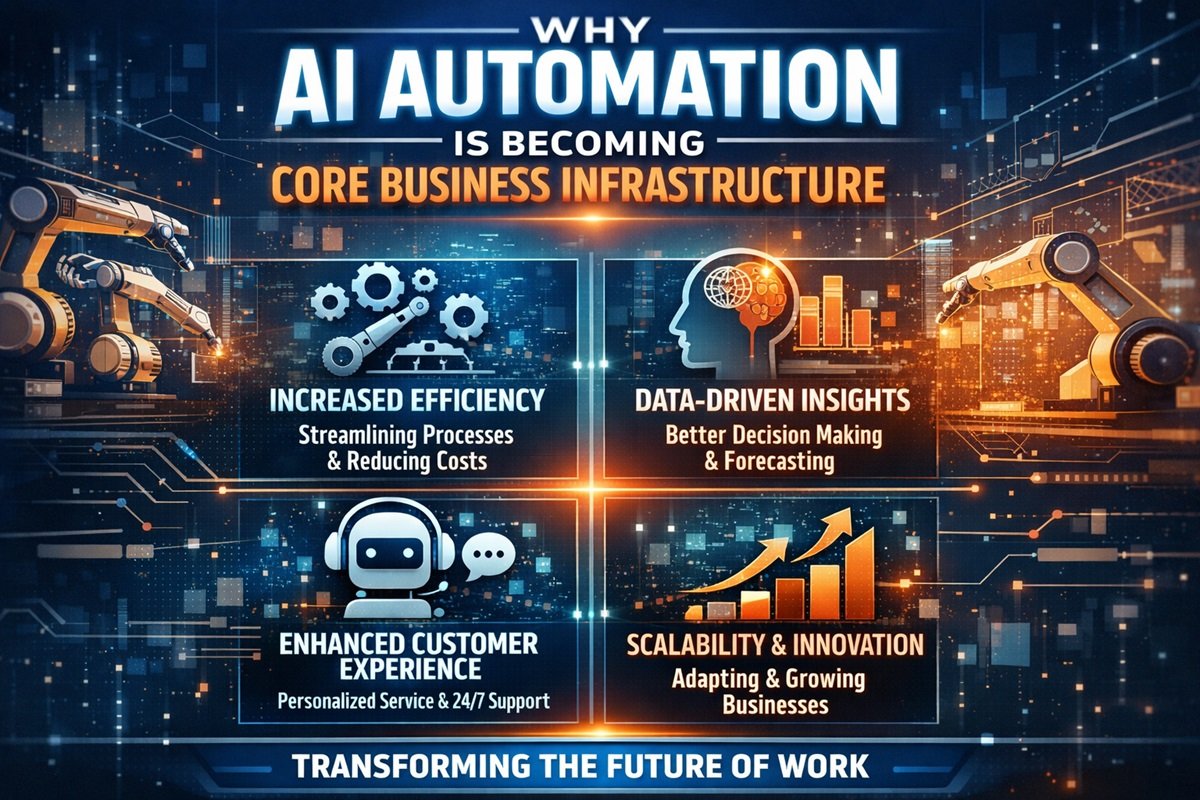
AI agents aren’t coming. They’re here. And in 2026, they’re moving from experimental side projects to core business infrastructure.
But here’s what I want you to take away from this. The businesses winning with AI agents aren’t the ones throwing money at the fanciest tools. They’re the ones that started with a clear problem, picked a simple workflow, and built from there.
You don’t need a million-dollar budget. You don’t need a team of engineers. You need a clear understanding of where your time is being wasted and a willingness to test something new.
So what’s that one task that eats up your team’s time every single week? Start there. Build your first agent. See what happens. That’s how every successful automation story begins.
FAQs About AI Agents and Business Automation
1. What is the difference between AI agents and chatbots?
Chatbots follow scripted conversation paths and give pre-set answers. AI agents can reason, make decisions, access multiple tools, and take actions independently. A chatbot answers questions. An AI agent solves problems.
2. Do I need coding skills to use AI agents?
Not necessarily. Platforms like Zapier, Make, and Lindy.ai offer no-code interfaces for building AI agent workflows. More advanced tools like n8n give you extra control if you’re comfortable with some technical setup.
3. How much do AI agent platforms cost?
Most platforms offer free plans with limited usage. Paid plans range from $20 to $200+ per month depending on the platform and volume. Enterprise solutions like Salesforce Agentforce use per-conversation pricing. Always check how costs scale before committing.
4. Are AI agents reliable enough for customer-facing tasks?
They’re getting there, but human oversight is still essential. The best approach is to let AI agents handle routine interactions and escalate complex or sensitive cases to your team. This gives you speed without risking customer trust.
5. What types of businesses benefit most from AI agents?
Any business with high-volume, repetitive tasks benefits. E-commerce, SaaS, digital marketing, real estate, healthcare, and financial services are leading adoption. But even small businesses and freelancers can use AI agents for tasks like lead qualification, email follow-ups, and content creation.
6. Can AI agents work with my existing tools?
Yes. Most AI agent platforms integrate with popular business tools like CRMs, email platforms, project management apps, and analytics tools. Zapier alone connects with over 7,000 apps, and platforms like n8n and Make offer similar integration depth.
7. What is agentic AI?
Agentic AI refers to AI systems that can operate autonomously — planning, making decisions, and executing tasks with minimal human input. It’s the technology behind AI agents, and it’s the biggest shift in business automation since cloud computing went mainstream.