
Welcome to DigitalExpressHub — your source for SEO, Marketing and Digital Technology Insights.
Time is one of the most valuable resources for any professional. Whether you are a freelancer juggling multiple clients, a remote worker balancing deadlines, or a business owner managing a team, how you manage your time directly impacts your success.
In this guide, we cover the best time management tools for professionals in 2026 — from task managers and time trackers to focus apps and scheduling tools. Many of these tools offer free plans, so you can start improving your productivity today without spending a penny.
What Are Time Management Tools?
Time management tools are software applications designed to help professionals organize tasks, manage schedules, track time, and reduce distractions. They range from simple to-do list apps to advanced project management platforms used by entire teams.
These tools help you:
- Plan your day and week more effectively
- Break large projects into manageable steps
- Track how long tasks take to complete
- Collaborate with colleagues and clients
- Stay focused and avoid wasting time
The best part? Many of the top tools in 2026 offer free plans or free trial versions, making them accessible to professionals at every level.
Why Professionals Need Time Management Tools
Poor time management leads to missed deadlines, high stress, and reduced output. On the other hand, professionals who use the right tools consistently report better results, less burnout, and more time for high-value work.
Here are the key benefits of using time management tools:
- Better productivity: Structured workflows help you accomplish more in less time.
- Improved task organization: Keep all your tasks, deadlines, and priorities in one place.
- Reduced stress: Knowing exactly what needs to be done — and when — eliminates mental overload.
- Better project tracking: Monitor progress across multiple projects simultaneously.
- Improved focus and efficiency: Tools like focus timers and distraction blockers keep you on track.
- Team collaboration: Shared platforms ensure everyone on a team is aligned and accountable.
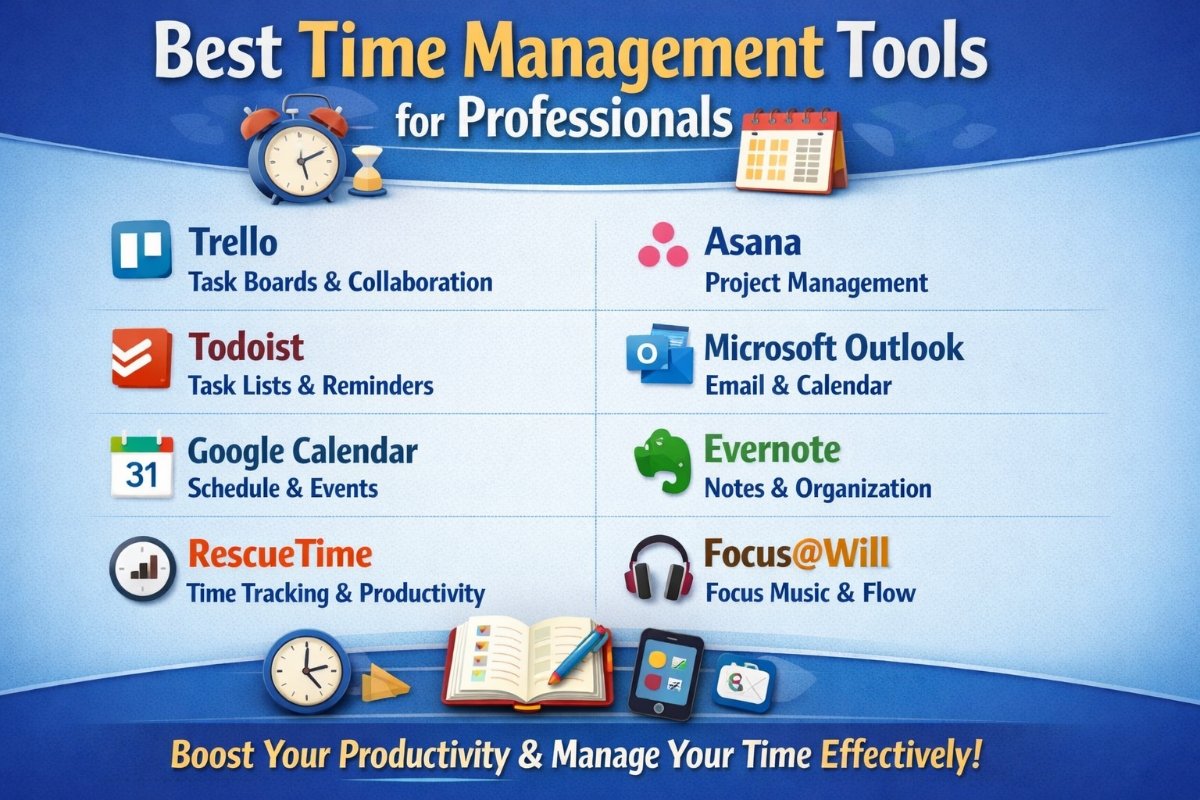
Best Time Management Tools for Professionals in 2026
Below, we have grouped the top tools by category so you can find the right fit for your specific needs.
Task and Project Management Tools
These tools help you organize your work, assign tasks, and track project progress from start to finish.
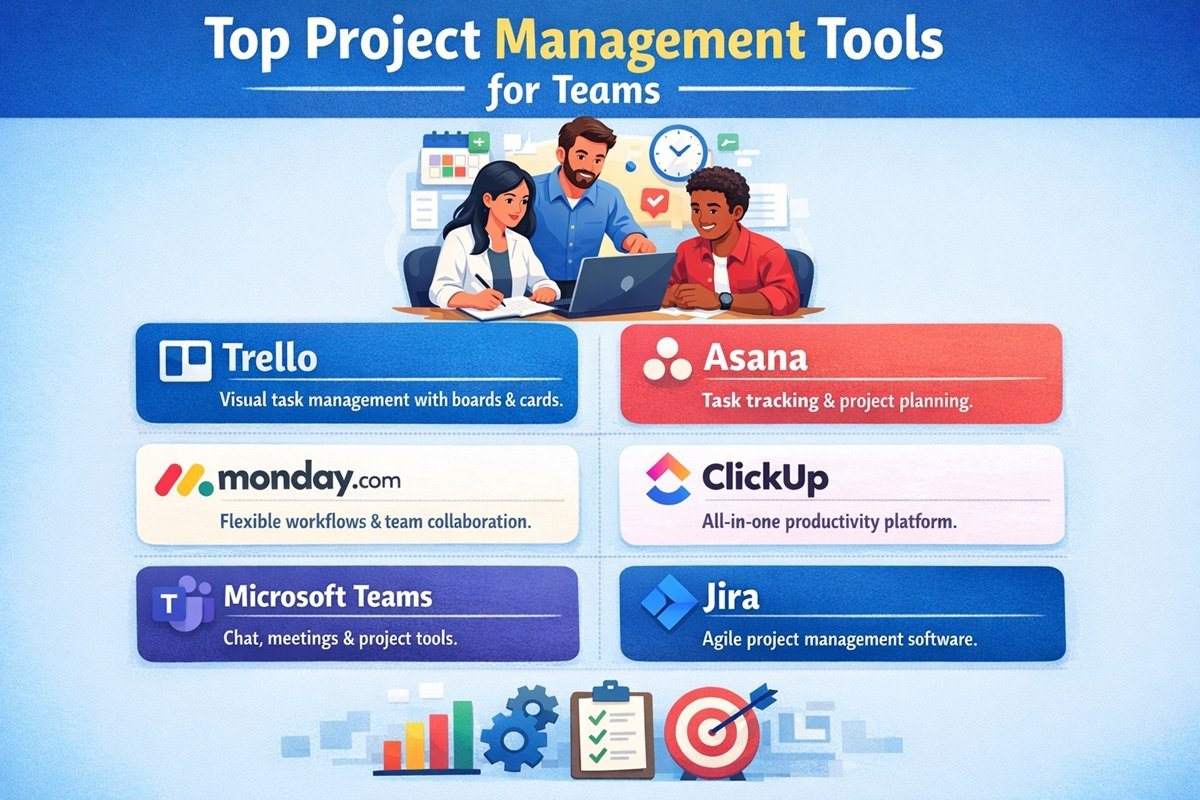
1. Trello
Overview: Trello is one of the most popular and beginner-friendly project management tools available. It uses a visual card-and-board system inspired by the Kanban method, making it easy to see what is in progress, what is done, and what still needs attention.
Key Features:
- Drag-and-drop task cards across customizable boards
- Checklists, due dates, labels, and attachments on each card
- Power-Ups to integrate with tools like Slack, Google Drive, and Jira
- Templates for project planning, content calendars, and more
- Mobile app for iOS and Android
Why Professionals Should Use It: Trello is ideal for visual thinkers and teams who need a simple, clean way to manage workflows. It is especially popular among marketing teams, freelancers, and small business owners.
Pricing: Free plan available. Paid plans start at $5 per user/month (Standard plan).
2. Asana
Overview: Asana is a powerful project management platform built for teams of all sizes. It goes beyond simple task lists, offering timelines, workload views, and advanced reporting features.
Key Features:
- Task assignments, subtasks, and dependencies
- Timeline (Gantt chart) view for project planning
- Workload management to balance team capacity
- Automations to reduce repetitive work
- Integrations with over 200 apps including Zoom, Salesforce, and Microsoft Teams
Why Professionals Should Use It: Asana is a great choice for growing teams that need robust project tracking and clear accountability across tasks and milestones.
Pricing: Free plan available for up to 10 users. Paid plans start at $10.99 per user/month.
3. ClickUp
Overview: ClickUp is an all-in-one productivity platform that combines task management, documents, goals, time tracking, and communication in a single workspace. It is highly customizable and suited for individuals and large teams alike.
Key Features:
- Multiple views: List, Board, Gantt, Calendar, Mind Map, and more
- Built-in time tracking and workload reports
- Docs, wikis, and whiteboards within the platform
- Goal tracking and OKR management
- AI-powered task suggestions and automations
Why Professionals Should Use It: ClickUp is one of the most feature-rich tools available. If you want to replace multiple apps with one platform, ClickUp is worth exploring.
Pricing: Free plan available. Paid plans start at $7 per user/month (Unlimited plan).
Time Tracking Tools
Time tracking tools help you understand exactly how your time is being spent throughout the day — a crucial step for improving productivity and billing clients accurately.
4. Toggl Track
Overview: Toggl Track is one of the easiest-to-use time tracking tools available. With a single click, you can start and stop timers to record how long you spend on each task or project.
Key Features:
- One-click time tracking with a browser extension
- Detailed reports and insights on time usage
- Project and client tagging for accurate billing
- Idle detection and reminder alerts
- Available on desktop, mobile, and as a browser extension
Why Professionals Should Use It: Freelancers and consultants who bill by the hour will find Toggl Track invaluable for tracking time and generating reports for clients.
Pricing: Free plan available for up to 5 users. Paid plans start at $9 per user/month.
5. RescueTime
Overview: RescueTime runs in the background on your computer and automatically tracks how you spend your time — across websites, applications, and documents — without requiring you to manually log anything.
Key Features:
- Automatic time tracking with no manual input needed
- Productivity scoring based on your activity
- Distraction blocking for specific websites
- Daily highlight setting to keep you goal-focused
- Weekly email reports summarizing your productivity
Why Professionals Should Use It: RescueTime is perfect for professionals who want honest data about where their time really goes. It is a wake-up call that helps you identify and eliminate time-wasting habits.
Pricing: Free lite plan available. Premium plan starts at $6.50 per month.
6. Clockify
Overview: Clockify is a completely free time tracking tool for teams and individuals. It offers a wide range of features that you would normally pay for in other tools, making it one of the best value options available in 2026.
Key Features:
- Unlimited time tracking for unlimited users on the free plan
- Timesheet views and detailed reports
- Project budgeting and expense tracking
- Team attendance and leave tracking
- Integrations with Trello, Asana, ClickUp, and more
Why Professionals Should Use It: Clockify is the top choice for teams and freelancers who need powerful time tracking without the cost. Its free plan is genuinely comprehensive.
Pricing: Free plan with unlimited users. Paid plans start at $3.99 per user/month.
Focus and Productivity Tools
These tools help you stay organized, reduce distractions, and maintain focus during work hours.
7. Notion
Overview: Notion is a flexible all-in-one workspace where you can write notes, manage tasks, build databases, and create wikis. It is used by individuals and teams as a second brain for organizing knowledge and work.
Key Features:
- Customizable pages combining notes, tasks, and databases
- Templates for project planning, meeting notes, habit tracking, and more
- AI writing and summarization features (Notion AI)
- Team collaboration with comments and mentions
- Integration with tools like Slack, Google Calendar, and GitHub
Why Professionals Should Use It: Notion is ideal for professionals who want a highly customizable workspace that adapts to their personal workflow, whether for personal productivity or team collaboration.
Pricing: Free plan available. Paid plans start at $10 per user/month.
8. Todoist
Overview: Todoist is one of the cleanest and most intuitive to-do list apps on the market. It helps you capture tasks quickly, organize them by project, and prioritize what matters most each day.
Key Features:
- Natural language input for fast task entry (e.g., “Call client tomorrow at 3pm”)
- Priority levels and due date assignments
- Recurring tasks and reminders
- Productivity karma score to gamify your progress
- Integration with Gmail, Outlook, Google Calendar, and Slack
Why Professionals Should Use It: Todoist is perfect for professionals who want a simple, reliable system for managing daily tasks without the complexity of a full project management tool.
Pricing: Free plan available. Pro plan starts at $4 per month.
9. Forest App
Overview: Forest is a unique focus app that gamifies concentration. When you want to focus, you plant a virtual tree. If you leave the app to browse distracting websites, your tree dies. Over time, you grow a virtual forest that reflects your focused work sessions.
Key Features:
- Pomodoro-style focus timer (customizable session lengths)
- Virtual forest that grows with your focus streaks
- Whitelist and blacklist for specific websites and apps
- Real tree planting partnership — focused minutes translate to trees planted in the real world
- Team mode for group focus sessions
Why Professionals Should Use It: Forest is excellent for professionals who struggle with phone or browser distractions. The gamification element makes staying focused engaging and rewarding.
Pricing: Free browser extension. Mobile app available for a one-time purchase of $1.99.
Calendar and Scheduling Tools
Calendar and scheduling tools help professionals plan their time, set appointments, and avoid scheduling conflicts.
10. Google Calendar
Overview: Google Calendar is the most widely used calendar tool in the world. It is simple, powerful, and integrates seamlessly with the entire Google Workspace ecosystem.
Key Features:
- Create, share, and manage events and meetings
- Multiple calendar layers (personal, work, team, holidays)
- Smart scheduling suggestions
- Integration with Gmail, Google Meet, Zoom, and thousands of other apps
- Available on all devices with real-time sync
Why Professionals Should Use It: Google Calendar is a must-have foundation for any professional’s time management system. It is completely free and works with virtually every productivity tool available.
Pricing: Free with a Google account.
11. Calendly
Overview: Calendly eliminates the back-and-forth of scheduling meetings. You set your availability, share your Calendly link, and others book time directly on your calendar without any email exchanges.
Key Features:
- Automated meeting scheduling based on your available slots
- Buffer time between meetings to prevent back-to-back sessions
- Group events and round-robin scheduling for teams
- Integration with Google Calendar, Outlook, Zoom, Salesforce, and more
- Custom booking pages and intake forms
Why Professionals Should Use It: Calendly saves enormous amounts of time for professionals who schedule meetings regularly — consultants, sales professionals, coaches, and anyone working with clients.
Pricing: Free plan available. Paid plans start at $8 per user/month.
12. Microsoft Outlook Calendar
Overview: Microsoft Outlook Calendar is the preferred scheduling tool for enterprise and corporate environments. It integrates deeply with Microsoft 365 and is widely used for managing meetings, team schedules, and deadlines.
Key Features:
- Full integration with Microsoft Teams for one-click meeting creation
- Shared team calendars and room booking
- Meeting scheduling assistant that checks everyone’s availability
- Task management integration with Microsoft To Do
- Available on desktop, web, and mobile
Why Professionals Should Use It: If your organization uses Microsoft 365, Outlook Calendar is the natural choice for managing your schedule and coordinating with colleagues.
Pricing: Included with Microsoft 365 plans starting at $6 per user/month.
How to Choose the Right Time Management Tool
With so many tools available, choosing the right one can feel overwhelming. Here are the key factors to consider before making a decision:
- Ease of use: Choose a tool you will actually use consistently. A complex tool with a steep learning curve may do more harm than good, especially at the start.
- Features required: Match the tool to your specific needs. Do you need time tracking, task management, scheduling, or all three? Avoid paying for features you will never use.
- Integration with other tools: Check whether the tool integrates with the apps you already use, such as Gmail, Slack, or your CRM.
- Pricing: Start with free plans to test a tool before committing to a paid subscription. Many free plans offer more than enough for individuals.
- Team collaboration support: If you manage a team, ensure the tool supports shared workspaces, task assignments, and team reporting.
- Mobile access: If you work on the go, choose a tool with a strong mobile app so you can manage your time from anywhere.
Best Free Time Management Tools in 2026
You do not need to spend money to start managing your time more effectively. Here are the top free time management tools available right now:
- Trello: Free plan with unlimited cards, up to 10 boards per workspace, and useful Power-Up integrations.
- Clockify: Completely free time tracking for unlimited users — the most generous free plan in the time tracking category.
- Google Calendar: A free, powerful scheduling tool available to anyone with a Google account.
- Todoist: Free plan includes up to 5 active projects and basic task management features — more than enough for individual use.
- Notion: Free personal plan with core note-taking, task management, and database features.
Tips for Managing Time More Effectively
Even the best tools will not help if you do not apply strong time management habits alongside them. Here are actionable tips to get the most out of your time:
- Prioritize tasks using a task list: Start every morning by listing your top 3 to 5 priorities for the day. Focus on high-impact work first.
- Use time blocking techniques: Assign specific blocks of time to specific tasks in your calendar. Treat these blocks like unmovable appointments.
- Track your productivity regularly: Use a time tracking tool to review how your time is actually spent each week. Identify patterns and adjust accordingly.
- Minimize distractions: Turn off non-essential notifications, use focus apps like Forest, and set clear boundaries during deep work sessions.
- Batch similar tasks together: Group similar activities (such as emails, calls, or content creation) into dedicated time blocks to reduce context switching.
- Use the two-minute rule: If a task takes less than two minutes, do it immediately rather than adding it to your list.
- Review and plan weekly: Set aside 15 to 30 minutes each week to review what you accomplished and plan the week ahead.
- Learn to say no: Protect your time by declining tasks and meetings that do not align with your core priorities.
Conclusion
Managing your time effectively is one of the most powerful skills a professional can develop. The right tools make that significantly easier by helping you organize tasks, track time, reduce distractions, and plan your schedule with clarity.
There is no single perfect tool for everyone. The best approach is to experiment with a few options — starting with free plans — and gradually build a system that matches your workflow and goals.
Whether you start with a simple to-do list in Todoist, visualize your projects on a Trello board, or track every minute of your workday with Clockify, taking the first step is what matters most.
Start small, stay consistent, and watch your productivity transform.
Frequently Asked Questions (FAQs)
1. What is the best time management tool for professionals in 2026?
The best tool depends on your specific needs. Trello and Asana are top picks for project management, Toggl Track and Clockify lead in time tracking, while Google Calendar remains the gold standard for scheduling. ClickUp is ideal if you want all-in-one functionality.
2. Are there any free time management tools available?
Yes. Many excellent tools offer free plans, including Trello, Clockify, Google Calendar, Todoist, and Notion. These free plans are often sufficient for individuals and small teams.
3. What is the difference between task management and time tracking tools?
Task management tools (like Trello and Asana) help you organize and prioritize what needs to be done. Time tracking tools (like Toggl Track and Clockify) help you measure how long tasks actually take. Many professionals use both together for a complete productivity system.
4. Which time management tool is best for freelancers?
Toggl Track and Clockify are especially popular among freelancers because they make it easy to track billable hours by project and client. Trello is also a great option for managing client projects visually.
5. Can time management tools help with remote work?
Absolutely. Remote workers benefit greatly from tools like ClickUp and Asana for team coordination, Calendly for scheduling across time zones, and RescueTime for monitoring productivity while working from home.
6. What is the best free time tracking tool?
Clockify is widely considered the best free time tracking tool available. It offers unlimited time tracking for unlimited users at no cost, with features that compete with many paid alternatives.
7. How do I start using time management tools effectively?
Start by choosing one tool that addresses your biggest challenge — whether that is task organization, time tracking, or scheduling. Spend two weeks using it consistently before adding more tools. Build habits gradually rather than overhauling your entire system at once.
8. Is Notion good for time management?
Yes. Notion is a highly flexible workspace that can be customized for task management, project planning, habit tracking, and note-taking. It works well as a central hub for professionals who want to keep everything in one place.
9. What is time blocking and how does it help productivity?
Time blocking is a scheduling technique where you assign specific time slots to specific tasks in your calendar. It prevents task-switching, reduces procrastination, and ensures that important work gets dedicated attention each day.
10. Do time management tools work for small businesses and teams?
Yes. Tools like Asana, ClickUp, and Microsoft Outlook Calendar are specifically designed for team use, with features for task assignments, shared project views, workload balancing, and team reporting. Many offer free team plans to get started.